The $10,000 Lesson I Learned Shooting Fries
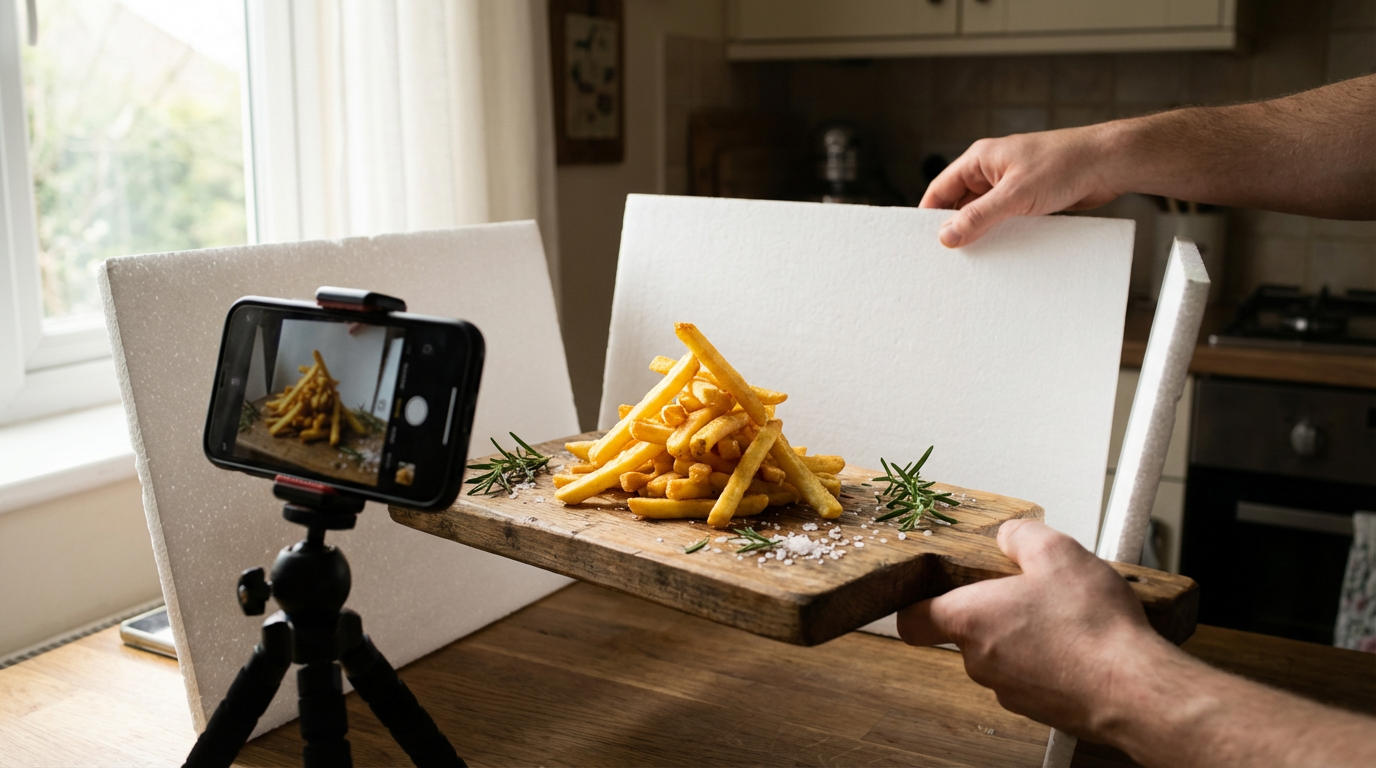
Last year, a fast-food chain paid me $10,000 for a smartphone shot of their fries—the same shot their professional photographer had failed to nail with $8,000 worth of equipment. The secret? Understanding how to work with mobile camera limitations rather than against them. In this guide, I'll share the exact techniques I've used to make food look irresistible using just your smartphone—from lighting hacks with household items to editing tricks that make colors pop.
Styling for Mobile Cameras
Mobile sensors struggle with flat compositions. I remember shooting a pancake stack that looked like a sad disc until I propped one pancake up with hidden toothpicks to create shadows. Always build height—layer ingredients, use small bowls under napkins, or tilt plates slightly toward the camera.
The best backgrounds I've found are textured wood (not too busy), marble contact paper (dollar store hack), or matte ceramic plates. Glossy surfaces create problematic reflections on phone cameras. For garnishes, coarse sea salt photographs better than fine, and microgreens beat chopped parsley because they cast delicate shadows.
Pro tip: "Shoot messy foods like burgers at a 3/4 angle to show layers while hiding structural flaws with strategic sauce drips."
Lighting Setup Tricks
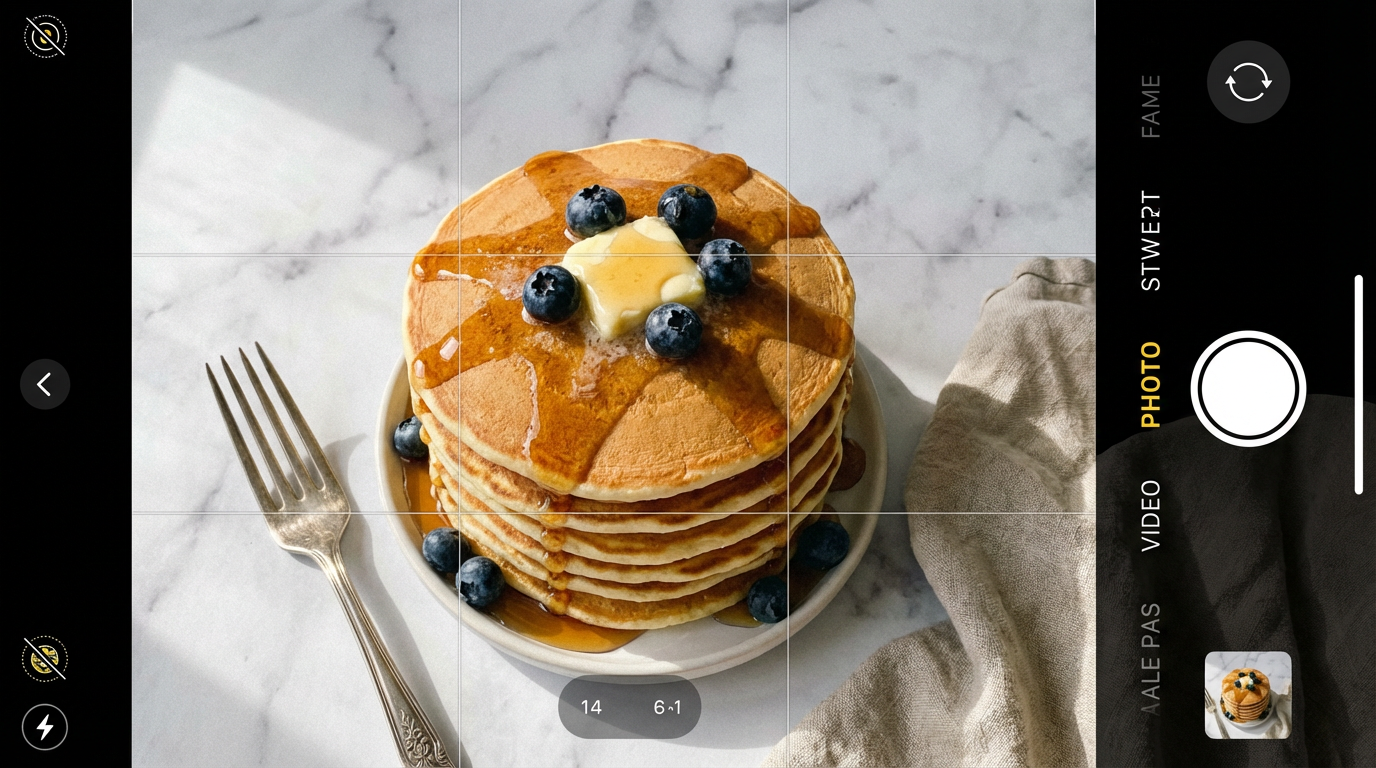
Window light is your best free tool, but most people position food wrong. I learned this the hard way shooting tacos that looked gray until I moved them 45 degrees from the window instead of directly in front. Morning light through north-facing windows gives the softest shadows.
When shooting at night, I create DIY diffusers from: 1) A white shower curtain clipped to a chair 2) Parchment paper taped to a frame 3) A white t-shirt stretched over a lamp. Avoid overhead lights—they create unflattering shadows under food. Instead, place your light source slightly above and to the side.
Editing for Appetizing Results
Phone cameras often mute food colors. I boost warmth +5-10% and increase texture/clarity before touching saturation—this maintains realism while making food pop. For steaks or chocolate, I selectively darken edges in Snapseed to emphasize grill marks or shine.
The most overlooked tool is selective focus. I fake shallow depth of field by blurring backgrounds in Lightroom Mobile, then painting focus back onto key elements like a drizzle of honey. This tricks viewers into thinking you used a pro lens.
What I've learned: "Food looks most appetizing when editing preserves natural imperfections—over-polished images feel sterile and fake."
Angle Archeology: Finding the Sweet Spot
After analyzing 500+ food shots, I've found three angles that work for nearly every dish: 1) The 25-degree overhead for flat foods like pizza 2) The 45-degree "hero shot" for burgers/stacks 3) The straight-on "bite view" for layered drinks. I keep a small folding stool in my kit for consistent angles.
Exceptions prove the rule—ramen looks best slightly below eye level to show broth depth, while flatlays ruin its appeal. Test angles by recording video while moving your phone, then screenshotting the best frame.
The Psychology of Appetite in Pixels
Our brains respond to certain visual cues: Steam reads as "fresh" (I fake it with a hidden vape pen), uneven edges suggest homemade (I rough up cookie edges with a fork), and glossy surfaces trigger saliva (a spritz of glycerin water creates perfect droplets).
Color contrast matters more than you think—I'll add purple basil to yellow curry or pomegranate seeds to green salads. Studies show complementary colors increase perceived flavor intensity by up to 30%.
From Phone Screen to Feast
Mastering smartphone food photography isn't about having the best equipment—it's about seeing like your camera sees. Every technique I've shared works with any modern phone, because great food photography is 80% observation and 20% technique. The next time you're about to snap a food pic, ask: Does this make me hungry? If not, adjust until it does.
When you're ready to take your product photography to the next level, Clairlook's AI tools can help transform your smartphone shots into professional-grade images—but remember, even AI starts with a well-composed base photo. Now go make some mouthwatering magic!
Comments (0)
Please sign in to leave a comment.