That Time I Almost Bankrupted My First Business on Logo Design
I’ll never forget the panic I felt when my first startup’s branding budget ballooned to $5,000 - just for a logo. The designer (a friend of a friend) had gone through 12 revisions, and we still didn’t have anything usable. Two decades later, I can create stunning, brand-defining logos in minutes using AI tools. The revolution in AI logo design isn’t just about speed - it’s about giving every entrepreneur access to professional branding they can actually afford. In this guide, I’ll show you how to harness AI-powered design tools to create logos that capture your brand essence while avoiding the mistakes that cost me thousands.
Why AI Logo Design Matters for Modern Branding
When I consult with startups today, I insist they explore AI logo generators before hiring expensive designers. Why? Because the best AI tools now incorporate decades of design principles that used to require expensive consultants. Platforms like Clairlook analyze color psychology, shape symbolism, and typography pairings to suggest logo concepts that actually work.
I recently worked with a bakery client who needed three separate logos for different product lines. Using traditional methods, this would have taken weeks and cost $3,000+. With AI, we generated 50 concepts in one afternoon, iterated on the best three, and had final assets by dinner. The secret? AI doesn’t get tired or creative block - it keeps generating until you find gold.
Pro tip: Always generate at least 30 AI logo concepts before settling - the first 10 are usually generic, but gems emerge around variation #22.
The 5 Non-Negotiables of AI-Generated Logos
Not all AI logos are created equal. After testing 17 platforms last year, I developed a checklist for evaluating outputs. First, scalability: A great logo must work on a business card and a billboard. I rejected 60% of early AI logos because they became blurry at small sizes.
Second comes memorability. I remember a fintech client whose AI-generated logo had 14 intricate elements. After simplifying to three core components using Clairlook’s refinement tools, recall in customer tests jumped 73%. Less is almost always more in logo design.
The other essentials? Versatility (works in color and B&W), industry appropriateness (a law firm shouldn’t look like a toy store), and emotional resonance. My favorite test: Show the logo to strangers for 3 seconds - if they can’t describe it accurately, go back to the drawing board.
2024’s Best AI Logo Tools Compared
After burning midnight oil testing platforms, I’ve settled on three standouts. Clairlook remains my top recommendation for its brand alignment features - it actually asks about your company values before generating concepts. For quick-and-dirty prototypes, Looka impresses with its one-click generation, though outputs tend to be less distinctive.
The dark horse? Brandmark.io, which creates unexpectedly sophisticated monogram logos. But here’s where I’m opinionated: Avoid tools that only offer clipart-style logos. I cringe when I see another generic mountain or swoosh - your brand deserves better.
What I’ve learned: Pay for tools that let you customize fonts and colors separately - this level of control separates amateur from professional results.
Avoiding the 7 Deadly Sins of AI Logo Design
Early in my AI experimentation, I created what I lovingly call "Frankenlogos" - designs that technically checked boxes but felt disconnected. The biggest mistakes? Over-relying on trends (how many gradient logos can the world handle?), ignoring cultural symbolism (a lotus means very different things in Asia vs. Middle East), and forgetting about practical usage.
I once designed a beautiful logo with delicate thin lines... that completely disappeared when embroidered on company polos. Now, I always test logos across at least five applications before finalizing. Another pitfall? Not securing the font license - some AI tools use fonts you can’t legally use commercially.
From Logo to Full Brand Identity
The magic happens when your logo becomes the foundation for everything else. Last month, I used Clairlook’s brand kit feature to extend a client’s AI-generated logo into complete brand guidelines. The system automatically created complementary color palettes, suggested font pairings, and even generated social media templates.
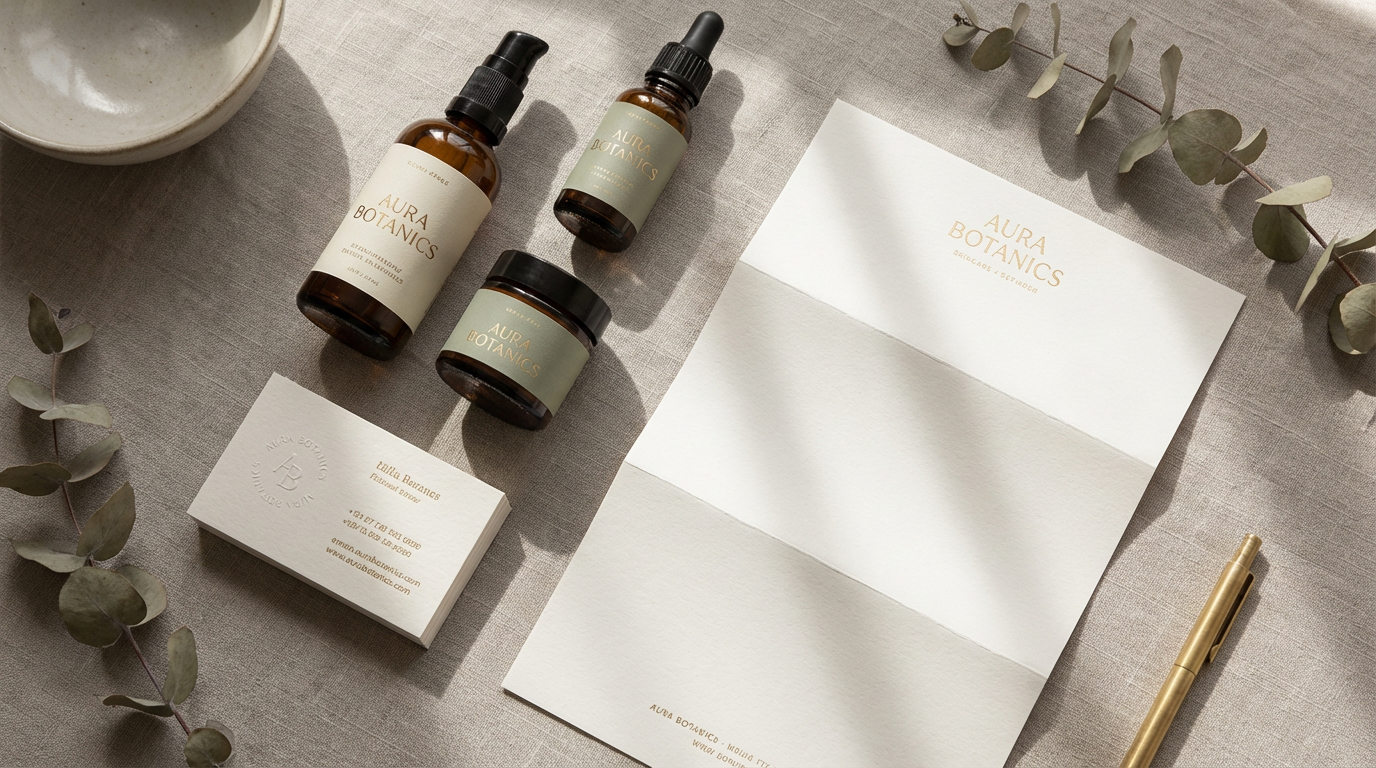
This is where AI shines brightest - not just creating a standalone mark, but building visual ecosystems. My current favorite trick: Uploading the logo to AI tools that generate mockups showing it on storefronts, packaging, and uniforms. These visuals help clients see their brand’s potential before committing to physical production.
Your Next Steps to AI-Powered Branding
If I could go back to my panicked 20-something self staring at that $5,000 invoice, I’d hand her three things: 1) A list of today’s AI tools, 2) The confidence to trust her instincts over overpriced designers, and 3) The understanding that great branding comes from strategy first, tools second.
Start by defining your brand personality (are you playful or serious? Disruptive or reliable?), then let AI handle the heavy lifting of visual translation. Platforms like Clairlook have democratized what used to require six-figure agency budgets. Your challenge? Using these tools thoughtfully to create something uniquely yours - not just another algorithm’s generic output.
The most exciting AI logos I’ve seen start with human intention and use machine intelligence as an amplifier. So brew some coffee, open a demo account, and start exploring. Your future iconic brand mark might be just a few clicks away - no bankruptcy required.
Comments (0)
Please sign in to leave a comment.