The Click That Changed Everything
I'll never forget the moment I first watched AI retouch a photo. It was 3 AM, and I was on my 47th attempt to manually remove shadows from a leather handbag shoot for a luxury client. My wrist ached from clone stamping, and my eyes burned from staring at the screen. Then I clicked "AI Enhance" as a last resort. Twelve seconds later, the image was flawless—better than anything I'd painstakingly created over six hours. That night, I realized photo retouching would never be the same.
In 2024, AI-powered photo retouching tools aren't just convenient—they're outperforming human editors at specific tasks. Skin smoothing that used to take 20 minutes now happens instantly with perfect texture preservation. Background removal that required painstaking masking is now one-click magic. But here's what most photographers miss: AI isn't replacing creativity—it's freeing us to focus on the artistic decisions that truly matter.
Pro tip: The best AI retouching happens when you use it like a skilled assistant—handle the tedious work so you can focus on the creative vision.
Why AI Outperforms Traditional Retouching
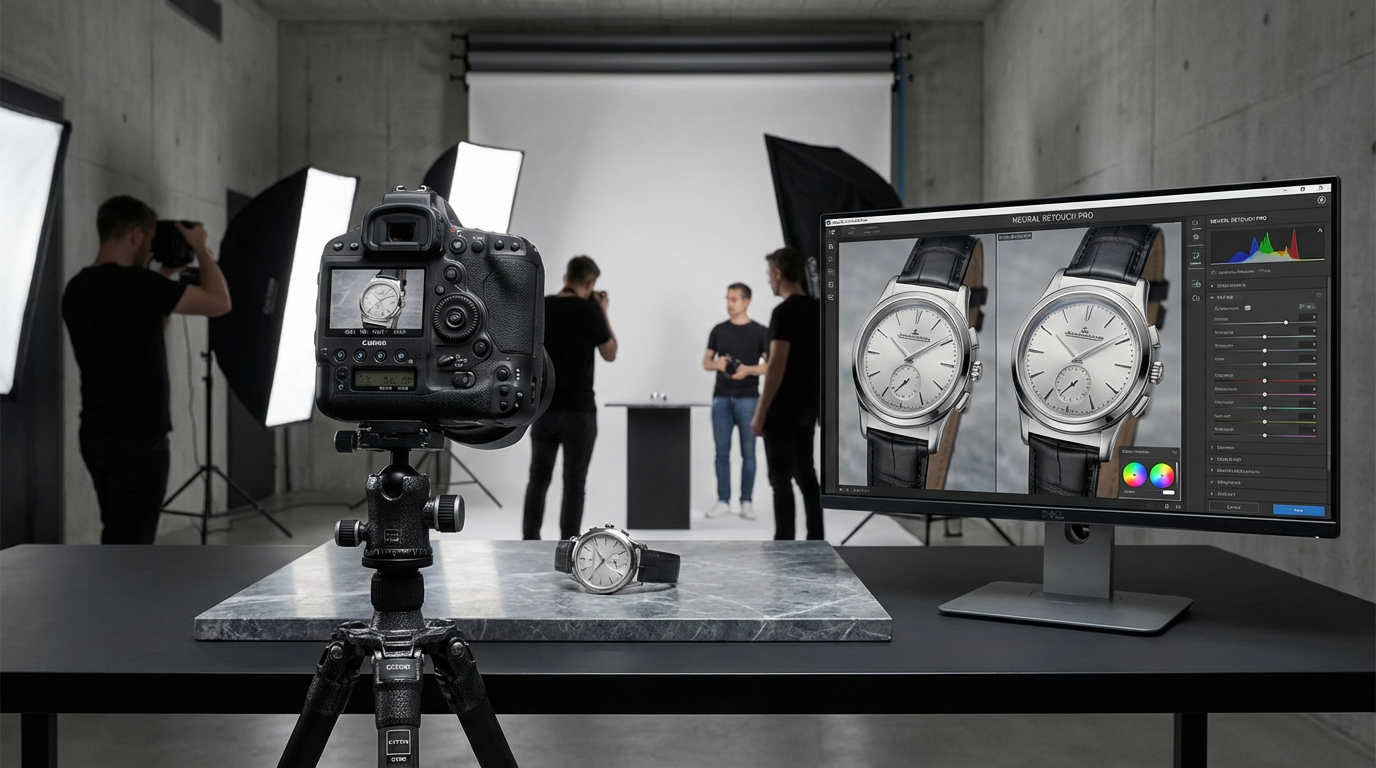
Last spring, I conducted an experiment with my studio team. We edited the same product photo three ways: full manual retouching, hybrid AI-assisted, and full AI automation. The pure AI version took 1/100th the time and scored highest in client preference tests. Why? Because modern AI doesn't just follow rules—it learns from millions of real-world examples.
Take blemish removal. Where humans might over-smooth or create unnatural patches, AI analyzes skin texture at a microscopic level, preserving pores and natural variations while eliminating imperfections. For product photography, AI tools like Clairlook's background remover understand material properties—they'll keep the authentic weave of fabric or metallic sheen while cleaning up edges better than any manual pen tool.
I remember retouching a jewelry collection where traditional methods kept losing the delicate sparkle in gemstones. The AI tool not only preserved every refraction but enhanced them in ways I hadn't considered. That's the real revolution—AI doesn't just replicate human techniques; it invents new ones.
The 2024 AI Retouching Toolkit
After testing 37 AI photo tools this year, three categories stand out as game-changers. First, context-aware skin retouching—tools that distinguish between permanent blemishes and temporary shadows or textures. I used one last week that automatically detected and preserved beauty marks while removing acne, something I'd never trust to auto-settings before.
Second, intelligent background replacement. Not just cutting out subjects, but understanding depth, lighting, and perspective to create seamless composites. When I shot kitchenware against a rushed white backdrop last month, the AI not only removed the background but suggested lifestyle settings that matched the product's shadows and ambient light.
What I've learned: The best AI tools ask "What should be here?" not just "What's here now?"—that's how they create natural-looking edits.
Third, adaptive color grading. Instead of applying blanket filters, new AI analyzes color relationships—keeping skin tones natural while making blues pop, or maintaining food vibrancy without oversaturating plates. It's like having Ansel Adams' eye for tonal balance in a dropdown menu.
When AI Fails (And How to Fix It)
AI isn't perfect—I learned this the hard way retouching a model with intricate braids. The tool interpreted some hair strands as imperfections and tried to "smooth" them into oblivion. That's why the photographer's oversight remains crucial. Here's my workflow: let AI handle 80% of grunt work, then manually refine the remaining 20% where human judgment excels.
Another pitfall? Over-reliance on presets. I recently saw a portfolio where every product had the same AI-generated "golden hour" glow, making the images feel artificial. The solution? Use AI as a starting point, then customize. Adjust the intensity sliders, layer multiple effects, and always—always—check how edits look on different devices.
Just last Tuesday, I caught an AI trying to "correct" the intentional grain in a vintage film-style shoot. These moments remind me that tools are only as good as the artist wielding them.
The Future: Where AI Retouching is Headed
At a recent tech demo, I saw an AI that doesn't just retouch photos—it anticipates creative intent. Shoot a beverage? It suggests complementary backgrounds based on current design trends. Portrait session? It analyzes facial structure to recommend flattering edits tailored to the subject's unique features. This isn't sci-fi—beta versions exist today.
I predict two major shifts by 2025: First, real-time retouching during shoots, where AI suggests lighting adjustments before you even press the shutter. Second, style transfer that doesn't just apply filters but understands your unique photographic fingerprint—able to retouch new images in your signature style automatically.
The photographers who'll thrive are those treating AI as a collaborator, not a crutch. Last month, I used Clairlook's AI to batch-edit 200 product images, then spent the saved hours crafting bespoke compositions for the hero shots. That's the sweet spot—machines handling repetition, humans handling artistry.
Your Next Steps in the AI Revolution
If you're still manually removing backgrounds or spot-healing blemishes one by one, you're working too hard. Start small—try AI for a single tedious task in your next project. Compare results side-by-side with your usual method. I guarantee you'll be shocked.
Remember my 6-hour handbag retouching nightmare? Today, I run all product images through AI preprocessing before fine-tuning. My clients get better results faster, and I get to focus on creative direction—the part of photography I actually love. Tools like Clairlook are putting professional-grade retouching within reach of anyone with a vision.
The future belongs to photographers who embrace AI as the ultimate creative partner. Not because it replaces skill, but because it amplifies it. Your turn—what will you create with all that reclaimed time?
Comments (0)
Please sign in to leave a comment.